A resource can meet today's needs while leaving tomorrow's customization uncertain. When comparing scripts at marketplace-tebex.io, describe the extension you intend to build and check what the product actually exposes. A feature shown in a demonstration is not automatically a supported integration point.
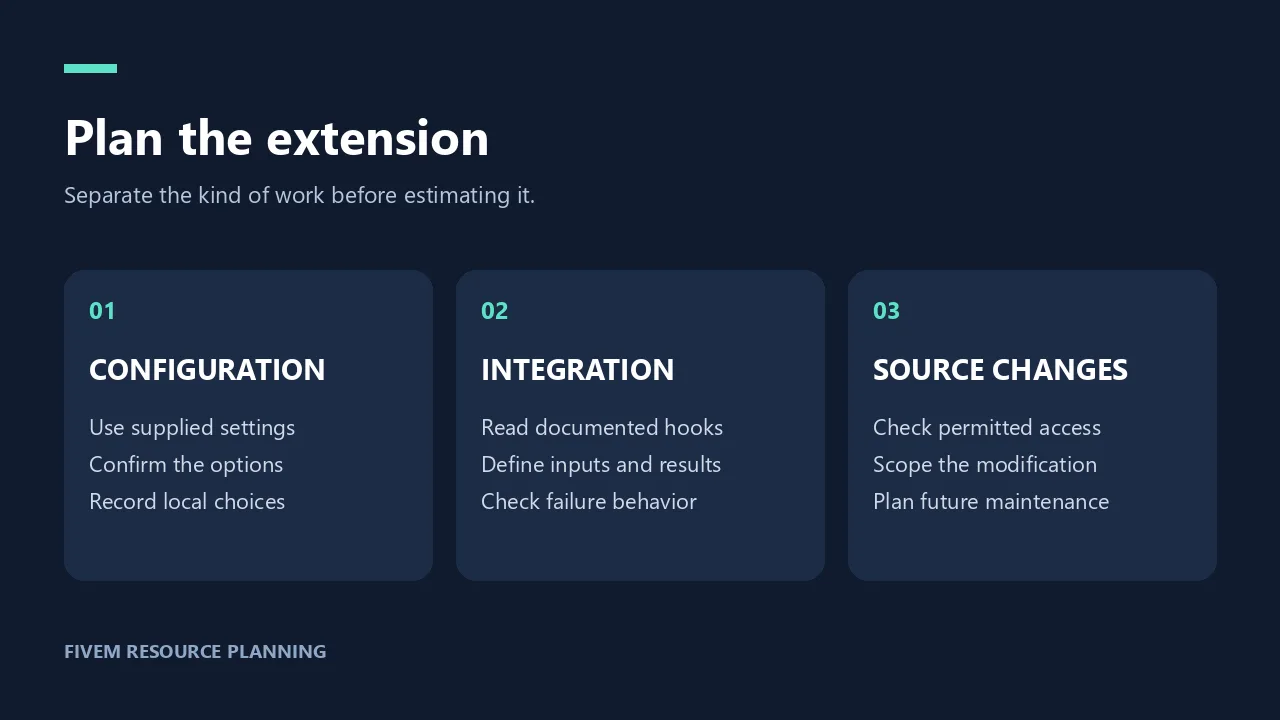
Divide the proposed work into three categories. Configuration changes use the settings the resource provides. Documented integrations use interfaces the developer explains. Source changes alter the resource itself. These categories can involve different access requirements and maintenance responsibilities, so keep them separate in your estimate.
Ask the seller where the required behavior belongs. Request documentation for the relevant extension point rather than assuming that a resource can be connected to anything. If the answer depends on a particular edition or separately supplied integration, record that before choosing a package.
Describe the extension in terms of inputs and outcomes. What should trigger it? What information must it receive? What happens if the other system is unavailable? You can settle these questions without inventing API names or promising that the work will be straightforward.
Agree on responsibility for updates. A future release may require your team to revisit local changes. Keep custom work identifiable and record which assumptions it relies on. Check the applicable license and support terms before planning modifications or redistribution.
Estimate the purchase and the extension as separate tasks. The seller supplies the described resource; your developer supplies whatever additional work you commission. A written boundary makes the final acceptance test easier for everyone to understand.
Verify anyone claiming to provide marketplace-tebex.io support through the website before sharing files or granting access. Familiar code terminology and copied product images are not proof that a contact represents the store.