Sale
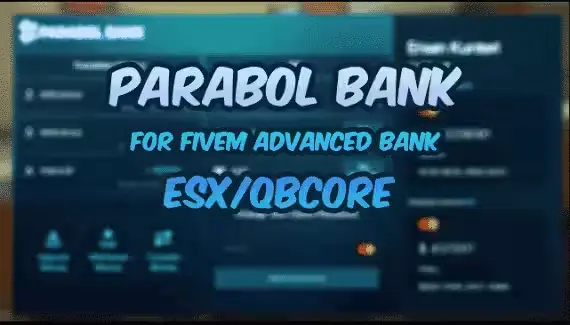
[ESX/QB] Parabol Bank V2
$9.00 $5.00
QBCore scripts for FiveM, from a single job to a complete framework build. The useful question when you are shopping is not whether a resource supports QBCore, because nearly all of them say they do. It is which QBCore the author had running when they wrote it.
qb-core has forked more than once, and item definitions, the player object and the menu library all moved along the way. A resource written on one side of a split will throw errors on the other, and it will do it quietly. Every listing here states the frameworks its creator tested, and the dependency notes name the target resource and the inventory it expects, which between them decide more than the framework version does.
The entry price is $5, the middle of the shelf runs $10 to $20, and a good part of it is free to install and try before you commit to anything.
A listing that says QBCore is telling you less than it sounds like. The framework forked, then the forks forked, and a server running a build from a few years back and a server running the current qb-core share a name and not much else. Item definitions moved. The player object changed shape. Some builds went to ox_lib for their menus and notifications while others stayed on the qb-core originals, and a resource written on one side of that split throws errors on the other.
So the useful question when you are shopping is never whether a resource supports QBCore. It is which QBCore the author had running when they wrote it. That is usually answerable from the listing, and this page exists to make it answerable rather than to be another list of everything in the shop.
A large part of this shelf is named after the qb-core resource it replaces or extends: a bakery job named for the resource it drops in beside, a housing system named for the one it supersedes, an ambulance job named for the one it competes with. That naming convention is a genuinely useful signal, because a creator who names a resource after the stock one is telling you they expect it to sit in a stock qb-core file layout.
It also tells you where to look when it breaks. A resource named for the stock ambulance job will fight the stock ambulance job if you leave both running, and the resulting error is usually a duplicate event handler rather than anything mysterious. Common FiveM script errors covers the shape of those, and QBCore troubleshooting is the framework-specific version.
The corner of this shelf that carries no ESX badge is mostly this kind of work, and a fair amount of it is NoPixel-inspired: bank truck robberies, house robberies, drug runs, radial menus, multicharacter screens. Those were written against qb-core directly and they lean on its conventions hard, which is exactly why they will not move to another framework without somebody rewriting them.
Two things in your own server decide whether a QBCore resource installs cleanly, and the framework version is not among them.
The first is your target resource. The qb-core world is split between qb-target and ox_target, both are common on this shelf, and a script written for one will not register its zones on the other without an adapter. The listing usually names which. Read it.
The second is your inventory. Item metadata, stashes and shop registration all go through the inventory, and the exports differ enough between the common ones that a mismatch is not a config problem, it is a rewrite. A script that registers a shop with an inventory you are not running will start without complaining and then quietly sell nothing.
Both of these are visible in the manifest before you install anything. FiveM fxmanifest.lua explained covers how to read dependencies and load order out of it, and ox_lib explained covers the shared library that an increasing share of modern qb resources assume you already have.
Read the config first and buy second. Editing FiveM script configs safely explains which parts survive an update, and a config file that only makes sense to its author is a maintenance problem you are buying along with the script. Whether you can read the source at all comes down to escrow, and escrow versus open source is the one thing worth understanding before you spend anything, because it decides whether a small incompatibility is an afternoon's work or a support ticket.
Then check the weight. QBCore servers tend to accumulate resources faster than most, and the ones that hurt are rarely the ones you suspect. Boosting server FPS and running several heavy scripts at once cover what to measure, and threads and wait loops covers the pattern that causes most of it.
If you are setting up the framework rather than adding to it, installing QBCore on FiveM is the full walkthrough, and the beginner's guide to installing FiveM scripts picks up from there.
A good share of this shelf costs nothing, and free QBCore resources are the cheapest way to answer a compatibility question you cannot answer from a store page. Install one, watch it register against your target and your inventory, and you have learned something about your own build that applies to everything else you were considering.
They are also how you judge a creator. Open a free release, read the config, see whether the dependencies are named honestly. Those habits carry into the paid work. Free FiveM scripts is the whole shelf, and the notes on free QBCore scripts and GitHub cover what to expect from the open-source end of the same scene.
Looking for a job script in particular? The FiveM jobs shelf is sorted by what the role does rather than by which framework runs it. If you are on the other side of the fork, Qbox resources is the same catalogue read for qbx_core, and ESX scripts is the es_extended half of it. Ready-made servers are complete builds for anyone who would rather start from a working city, and the category list indexes everything else including the individual creator shelves.
Prices here open at $5, with the bulk of the shelf between $10 and $20. Updating paid FiveM scripts safely is worth reading before the first update rather than after it, because the usual way a customised QBCore server breaks is somebody dropping a new version over a config they had spent a month tuning.
The listing says, and it is the first thing to read. qb-core has forked more than once and the differences are not cosmetic: item definitions moved, the player object changed shape, and some builds adopted a shared menu library while others kept the originals. A resource written for one side of that split throws errors on the other.
Most of them do, because Qbox kept the export and event names it inherited from qb-core. Where a listing carries both badges the creator has tested both. The exceptions are resources that patch qb-core files rather than sitting beside them, usually the ones named after the stock resource they replace, and those assume a file layout Qbox does not have.
Because they are named after the stock qb-core resource they replace or extend. It is a useful signal rather than a branding habit: a creator naming a resource that way expects it to drop into a standard qb-core layout, and it also tells you what to disable first, since leaving both running usually produces a duplicate event handler rather than anything mysterious.
Whichever the listing names. The scene is split between the two and a script written for one registers no interaction zones on the other, which looks like the script failing to load when it has loaded perfectly well. The manifest names the dependency before you install, so this is checkable rather than something to find out afterwards.
Yes, and it is the fastest way to answer a question no store page can. A good share of this shelf is free. Install one, watch whether it registers against your target and your inventory, and you have learned something about your own build that applies to every paid resource you were considering.